“We have a great-looking website… but we get almost zero leads.”
I’ve heard that from more business website owners than you might think.
The backstory is almost always the same. They paid for a business website that looks “professional”; it has their logo, lists their services, and the contact page works. But months, or even years later, the phone still doesn’t ring, and apart from spam, the form submissions are non-existent. “Shouldn’t we be getting way more than this? Our customers love us! But if it weren’t for word-of-mouth, referrals, and repeat clients, we’d be in trouble.”
It’s a frustrating and disheartening place to be. They thought their new pro-looking website would bring in more business, but it ended up being a huge disappointment.
So, let’s talk about why this happens and how to start turning things around.
We’ll look at:
- How to confirm if the problem is the website design
- We’ll look at the role of a website in your business.
- Why a good-looking site isn’t enough
- and some of my recommendations for leveling up the number of calls or form inquiries you get.
What if it’s a great website but is not getting traffic?
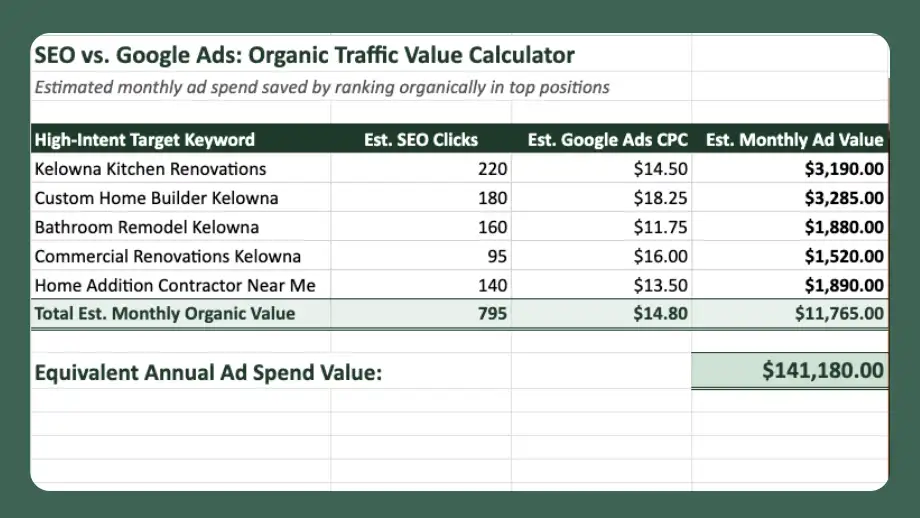
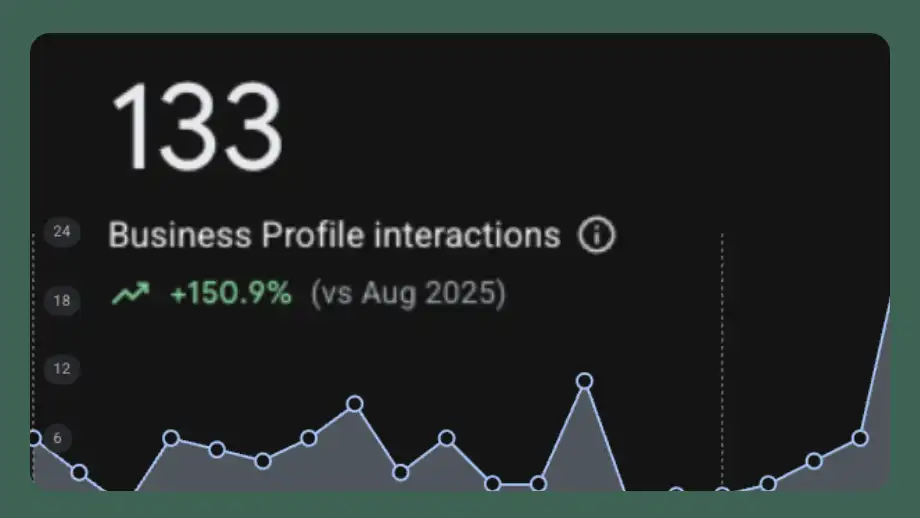
Before we look at common website issues, let’s consider this: sometimes a website is genuinely well-designed and would generate calls or leads if only it were getting visitors. The website design may not be the problem at all. You may need SEO or marketing to bring traffic to the site.
You can confirm this for your website by installing an analytics tool to start measuring traffic and user behavior. Many great analytics tools are on the market, including Plausible, which is paid, secure, and easy to set up. Google Analytics is free, but a little more complex. Both of these will tell you how many visitors your site gets, how long they stay, which pages get the most traffic, and more.
If you discover that your website traffic is low, you can consider running a Google Ads campaign. This is a fast (paid) way to get targeted traffic to your site. At this point, you’d just run a single campaign. The idea is to test whether actual visitors convert into calls and form fills. The logic goes something like this:
- Is the website broken and blocking traffic from becoming leads?
- We don’t know because we tested (using Analytics) and we’re not getting traffic.
- Let’s run Google Ads to get test traffic and see whether it turns into phone calls or leads.
- If our Google Ads traffic turns into leads, we’ll know we can focus on traffic acquisition while improving the site over time.
Keep in mind that Google Ads is a paid service, and you’ll want to get a decent amount of traffic. But it will be worth it because you’ll either uncover that your website doesn’t convert at all (a critical fact that you can fix), or that it does convert when it gets traffic, which means you just need to focus on getting traffic – not replacing your whole website.
If you’d rather not mess with analytics yourself and want to leave it to a professional, feel free to reach out to me or partner with a specialist who can audit your site’s UX, Copy, Performance, Traffic, and Local Rankings. If you want a fuller picture, an audit takes less than a day.
When the website is the problem.
Now, let’s say you’ve confirmed that your website is getting traffic, and you’re fairly certain the problem is the website. In this case, the issue is likely tied to one or more of the following culprits:
- What the visitor sees on your website doesn’t match what they were looking for
- The site doesn’t tell the visitor what to do next.
- The site fails to build trust.
- Technical problems and slow website speed prevent visitors from contacting you.
The site doesn’t match visitor expectations.
Imagine you are looking for a pair of red running shoes. You go to Google and search “buy red running shoes online Canada”. Google gives you a list of websites, and at the top is a sponsored ad that says, “Red running shoes available now.” You immediately click the ad. But when you arrive at the website, you see a dozen different shoes alongside pictures of models wearing black high heels, brown dress shoes, and winter boots. You scan the page but see no mention of red running shoes. See ya! You click the back button and continue searching for the shoes you want.
That’s how people evaluate your site. If it doesn’t immediately look like they’re in the right place, they will click back and leave.
If your website is getting traffic but nothing is happening, it may be because what people see isn’t what they expected, so they leave quickly. In marketing lingo, you’d call it “zero engagement.” Whatever we call it, what do we do about it?
How to fix poor engagement
The fix is to optimize your website and ad campaigns so they direct traffic to content that matches the visitor’s intent. People looking for red shoes land on the page that says something like “Red running shoes for men and women available to purchase in Canada – free shipping. Choose from our selection of Red Running Shoes now.” Ideally, that text would be joined by photos of red running shoes.
Perhaps you’re thinking, “ya, that’s common sense.” You’d be right – it is common sense. But making it happen is work. We need to put effort into making each user experience on our website easy, straightforward, intuitive, and feel like the perfect destination.
The site doesn’t tell visitors what to do next.
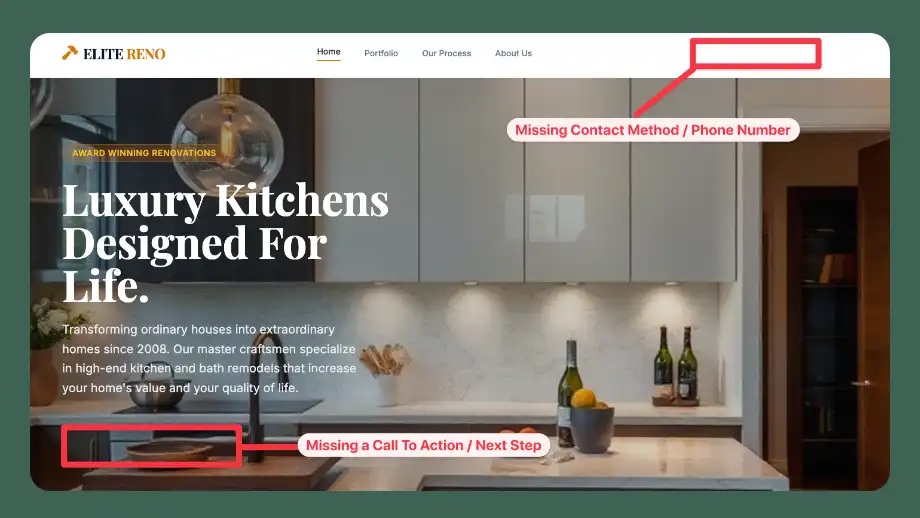
Another common situation is when a website does a great job up to a point, but then leaves visitors hanging with no clear direction to engage with the business. Take a typical local service company, for instance, a commercial contractor who creates a page detailing their specialty installation services. A potential client lands on the page from Google, reads the details, and agrees that this company is a great fit.
But imagine they finish reading, and that’s it. Imagine the website shows nothing to help the reader understand what to do next if they want to hire the contractor for the specialty service. This happens all the time. The website assumes the visitor will somehow figure it out or automatically know they should hunt down the “Contact Us” link and contact the business.
Most people won’t take the time to guess their way through your website. If you don’t provide a dead-simple, ultra-clear next step, visitors will leave and find a competitor that makes the process effortless.
How to tell visitors what to do next.
For every page or blog post on your website, ask yourself, “What is the logical next step for someone who just read this?” Should they call you? Fill out a form? Subscribe to a newsletter?
Whatever action you want them to take, make the path clear and easy to follow.
A note on calls-to-action: crafting persuasive, easy-to-use ‘calls-to-action’ balances layout, copywriting, and user psychology. It works best when you know your audience well, understand why they’re on your site, and can match their intent with an appropriate action.
The site fails to build trust.
Trust is essential in all business. Online, if visitors don’t have clear reasons to trust you, they’ll go somewhere else.
The data backs this up: BrightLocal’s 2026 Local Consumer Review Survey found that 47% of consumers won’t use a business with fewer than 20 reviews, and only 9% would use one with five or fewer (Source: BrightLocal). Furthermore, studies show that 40% of consumers avoid engaging with a business altogether if there is zero social proof (Source: provesrc).
So you can have an amazing-looking website and even a clear call to action on a page, and still lose more than 40% of leads because visitors aren’t sure they can trust your business. They are looking for signals like verified Google reviews, client testimonials, case studies, a real local address, and trust badges from recognized third parties like the Better Business Bureau or your local Chamber of Commerce.
How to build trust on your website
Trust isn’t something you can build overnight, or with a few quick tactics. It’s baked-in to your brand. Everything from how you answer the phone to how reliable your price quotes are affects whether customers trust you. But with that said, there are some proven ways to increase trust on your website:
- Place credibility and trust signals where they matter most, for example, near your primary contact forms and call-to-action buttons.
- Display real reviews: If you have Google or industry-specific reviews, embed them on key landing pages.
- Show local presence: Clearly display your service area, local office address, and phone number in the header and footer.
- Feature recognized logos: Include badges for certifications, local Chamber memberships, or trade association accreditations.
Technical problems prevent visitors from contacting you.
People experience your website through a wide range of devices and software. That’s why, during the design and development of your site, I pay special attention to ensuring it works well on smartphones and desktops, and looks right in different browsers.
How does this negatively impact your lead generation? It means someone can love what you’re offering, trust your business, and want to call you; but a frustrating smartphone experience or a broken form can force them to abandon the effort immediately.
Some common technical issues that your customers face
Mobile Clunkiness & Pinch-to-Zoom:
- Over 60% of local service web traffic comes from mobile devices. (Source: theStacc).
- The Problem: Buttons that are too tiny to tap with a thumb, unreadable text, desktop popups that cover the entire mobile screen, or sticky headers that take up half the screen.
Slow Load Speed:
- Page conversion rates drop by roughly 4–5% for every additional second a site takes to load. If a page takes over 3 seconds to load on mobile data, over half of visitors back out before seeing a single word. (Source: Portent)
Hidden Technical Failures:
- Forms configured to submit, but confirmation emails go to junk/spam.
- Unlinked phone numbers (e.g., forcing a mobile user to write down a number on paper instead of tap-to-call).
- Broken calendar-embedding tools or third-party widgets failing on mobile Safari/Chrome.
How to test and fix technical problems.
For these fixes, I recommend reaching out to a professional. Hire a professional developer online through a site like Codeable, or contact whoever built your website or handles your website maintenance.
That said, here are some initial steps you can take to evaluate if technical issues may be causing you to lose leads:
Test on a real phone: Open your live website on an actual smartphone and try submitting a lead form yourself.
Check that tap-to-call is working: Go through every instance of your phone number on the site, and tap it to ensure a single tap opens the phone app.
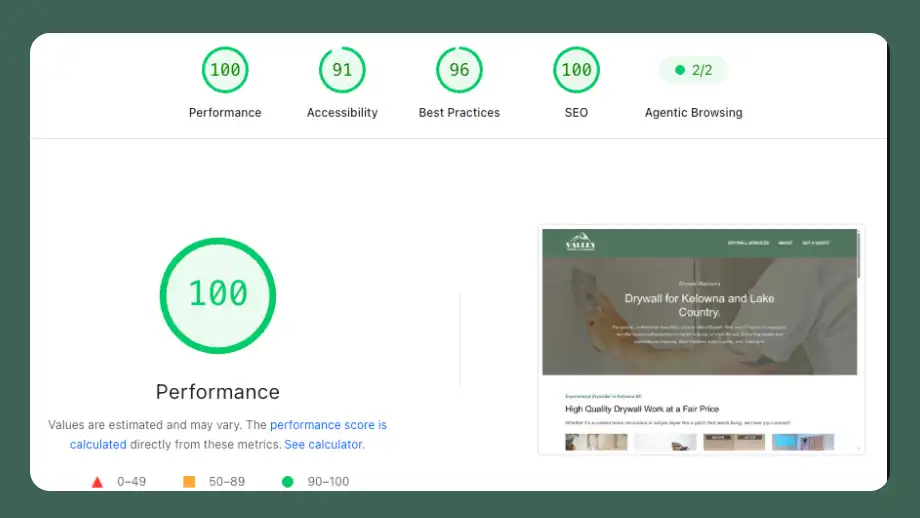
Audit site speed: Many tools can check your website’s speed and show what is slowing it down. You can use the website speed test here on this site to get a page speed score quickly. Or, use a tool like GT Metrix to get a detailed breakdown of all the factors affecting your site’s speed.
Run monthly form checks: Set a reminder to submit a test inquiry on your own site to confirm notification emails and integrations (like your CRM or inbox) are delivering reliably.
The bottom line
If you’re a business owner disappointed with the number of phone calls and leads from your website, you’re not alone. Rest assured, if your business is offering something people want to buy, you’ve already done the hard part. You can solve the website lead problem. It starts with diagnosing the problem, then taking steps to fix it. If you’d like help or want me to take care of your lead generation issues, please book a call, and we can chat about it.